Start here
Choose a G-Shock by format first, then size, display and power system. A simpler model that fits and reads clearly is usually a better daily watch than a larger one carrying functions you will not use.
Compare the decision
DecisionDigital
Choose this whenFast information and timer access matter
Watch forDisplay contrast and button size
DecisionAnalog-digital
Choose this whenYou want conventional hands plus digital functions
Watch forHands can cover the display
DecisionSolar
Choose this whenYou want fewer routine battery changes
Watch forIt still needs regular light
DecisionConnected
Choose this whenPhone-assisted setup and time correction help
Watch forApp dependence and added complexity
Start with the way you will use it
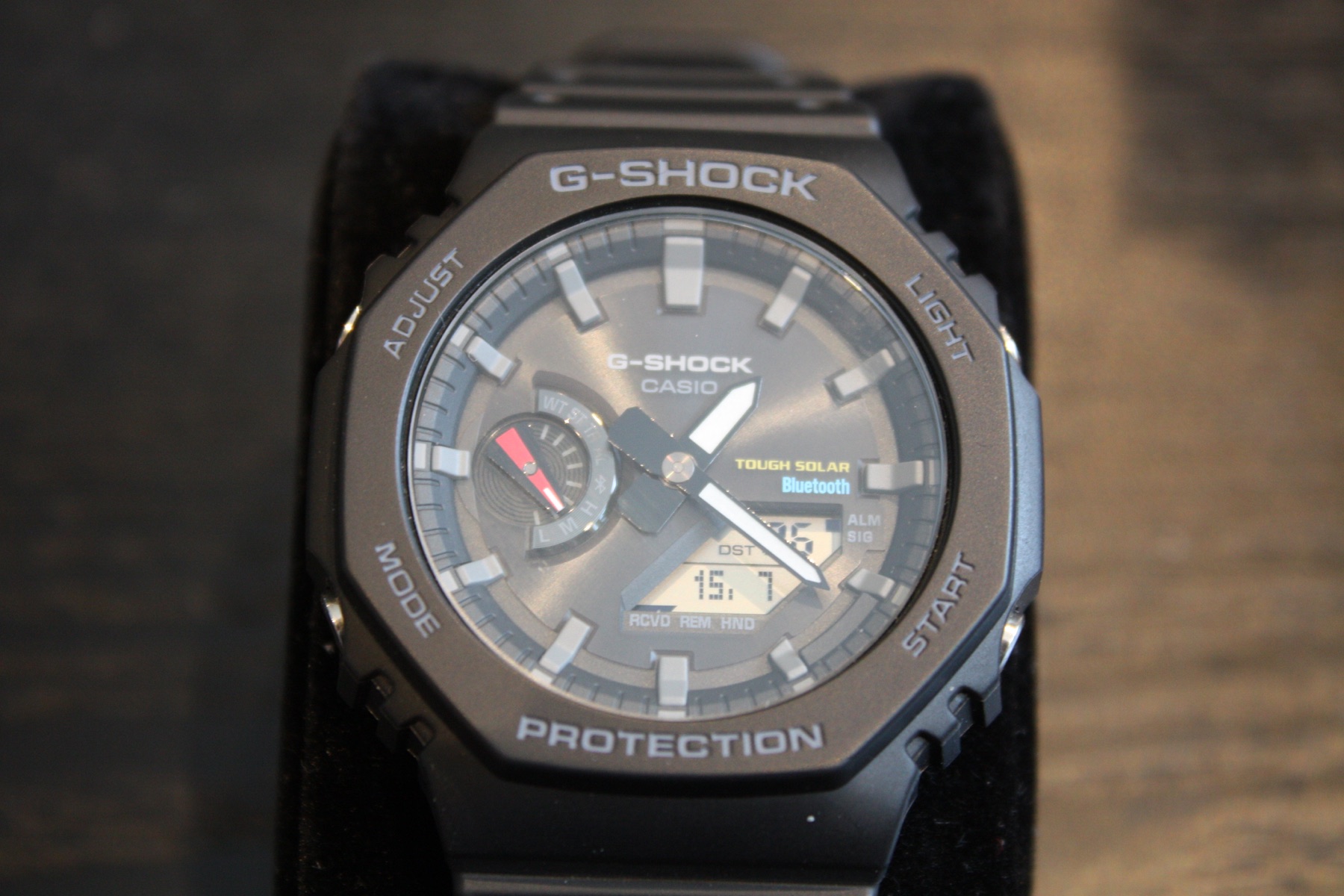
G-Shock is a large watch family, not one design. A compact digital model, an analog-digital 2100 Series watch and a sensor-equipped outdoor model can serve very different owners. Begin with the activities, information and controls you expect to use.
Durability is shared across the range, but dimensions, visibility and complexity vary substantially. A watch can be technically capable and still be the wrong size or interface for daily wear.
Choose the display deliberately
Positive digital displays usually emphasize quick legibility. Negative displays create a darker appearance but may be harder to read in some lighting. Analog-digital models provide familiar hands while using the display for timers, alarms and settings.
Check how the hands move when they cover the digital window and how easily the illumination can be activated. Product photographs do not show the complete viewing experience.
Pay for functions you understand
Solar charging, radio time synchronization, Bluetooth connection, world time and environmental sensors can be useful. They also add settings and sometimes cost or case size. Select features that remove friction from your routine rather than the longest specification list.
- Confirm case and lug-to-lug dimensions
- Compare positive and negative displays
- Check solar and synchronization availability
- Review button access and strap fit
Understand modules and references
The case name alone does not identify every function. G-Shock references often separate color, material, market and module differences within the same visual family. The module number in the documentation is the reliable route to instructions and button sequences.
Before buying used, confirm that illumination, alarms, hand alignment, charging behavior and every button operate correctly. Replacing a damaged bezel or strap may be straightforward on some models and less so on limited or discontinued versions.
The WatchAnnex conclusion
For a first G-Shock, prioritize a readable display, comfortable dimensions and the few functions you expect to use weekly. Add solar, synchronization or sensors only when they make the watch easier to live with. The durable case is the starting point; fit and interface determine whether it becomes an everyday watch.
Take this with you
- Measure case width, thickness and lug-to-lug length
- Test the display in bright and dim light
- Operate the buttons while wearing the watch
- Confirm the exact module, not only the case family
- Decide whether solar or connectivity solves a real need
Affiliate link · WatchAnnex may earn a commission from qualifying purchases.
Explore the G-Shock GA-B2100 family
Compare current colors, specifications and availability after confirming the exact module and full reference that suit your needs.
Check availability on Amazon ↗As an Amazon Associate I earn from qualifying purchases.Photo: Kasperl099 / Wikimedia Commons · CC BY-SA 4.0 · resized ↗